QSO-LOG QSO-LOG
Android · Windows · macOS · Linux

A ham radio logbook for your phone and computer

Log a QSO in a few taps: callsign, frequency, RST. QSO-LOG fetches the operator's name and city from QRZ.com or QRZ.ru, works out the distance and path, and exports the log to ADIF or a contest report.

  • Free
  • Open source (MIT)
  • English and Russian UI
  • Works offline
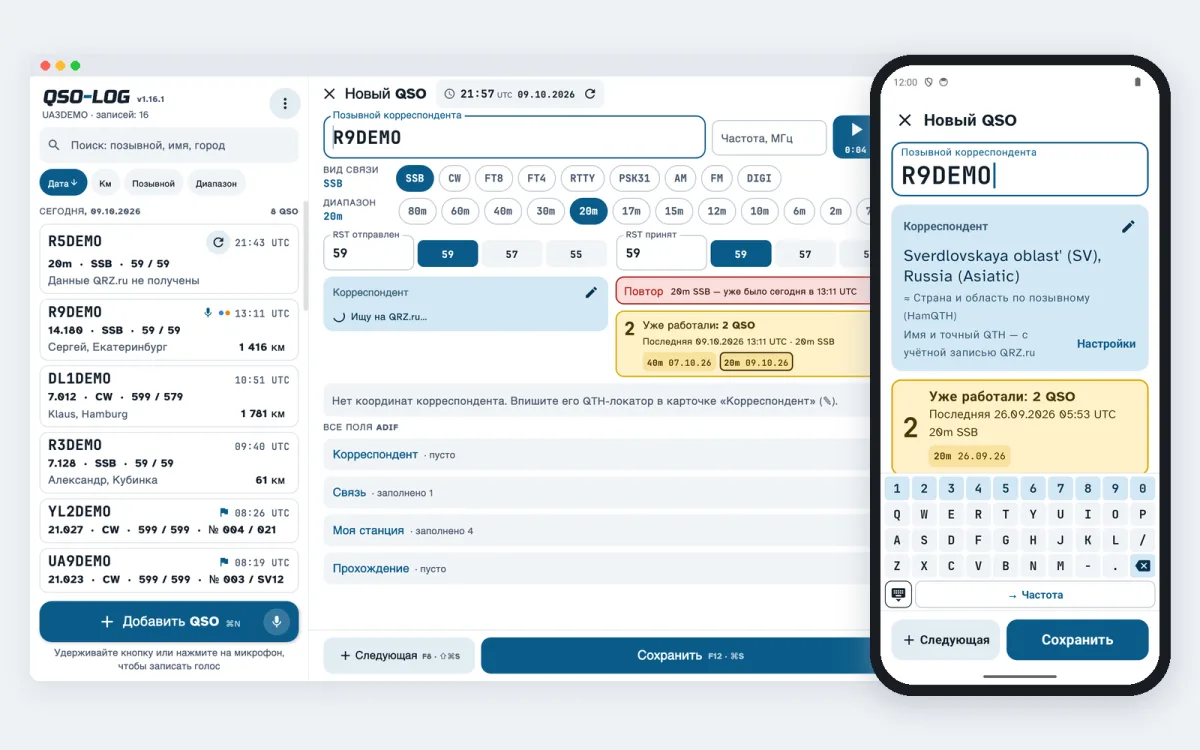
QSO-LOG on a computer and a phone: the log and a QSO card

Everything you need on the air

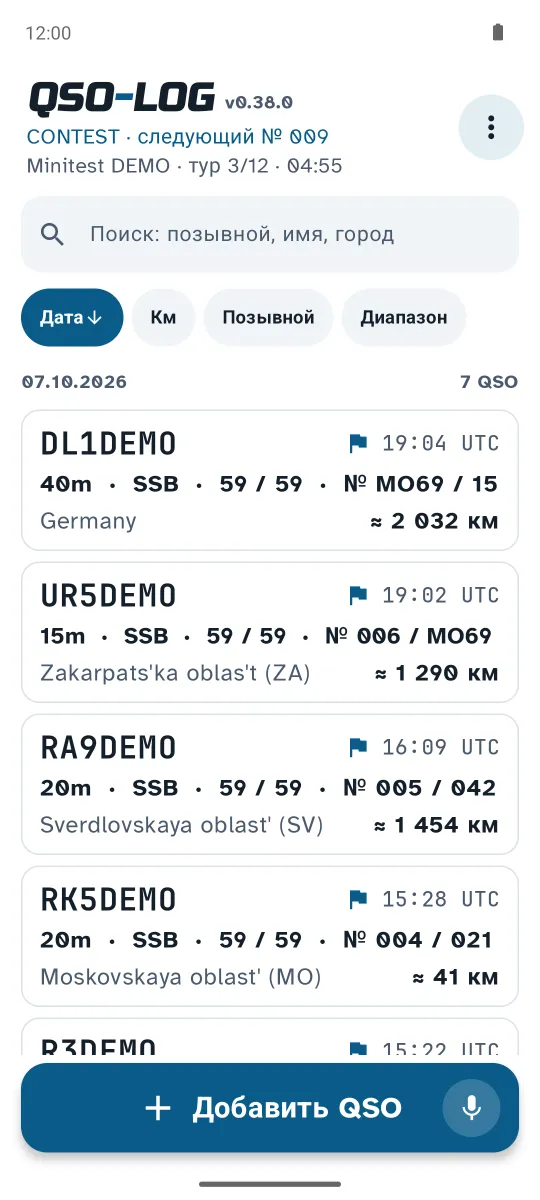
Big buttons and type, so you can log during the contact. The phone and computer versions do the same things.

Fast QSO entry

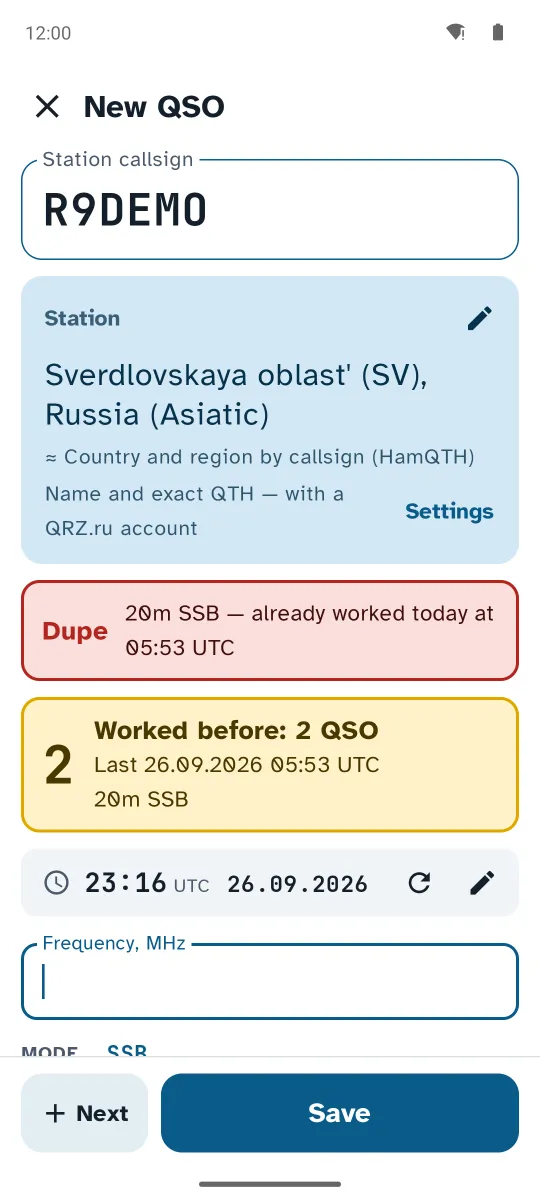
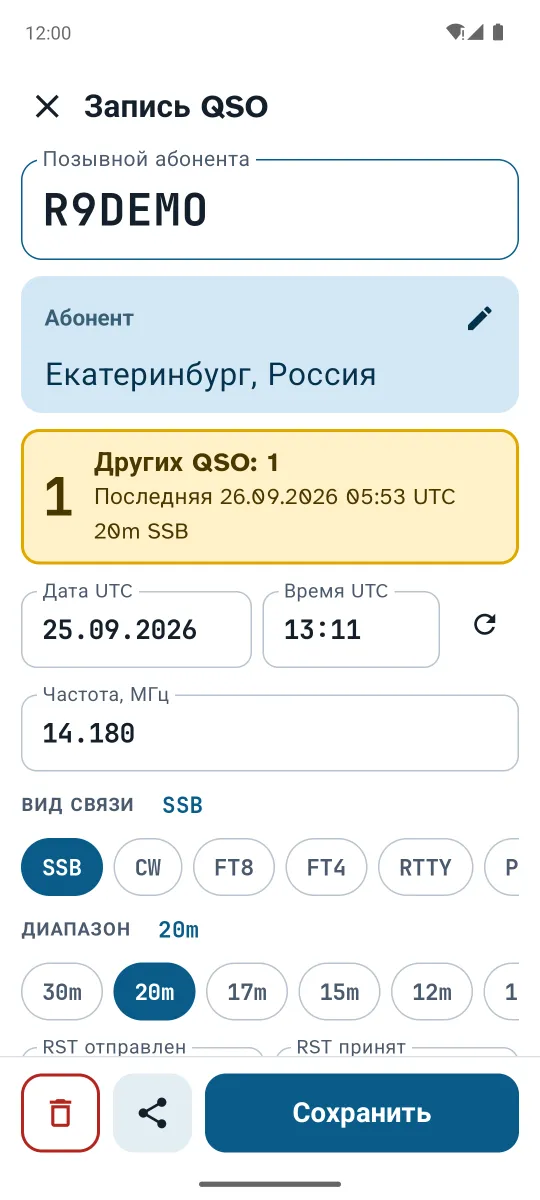
A new card opens with the cursor in the callsign field; UTC date and time are filled in, mode and frequency carry over from the last QSO.

  • callsign suggestions from your log after two letters
  • "Worked before" and a red dupe warning
  • frequency in kHz, the band is picked for you
  • "+ Next" for pile-ups and a big built-in keypad
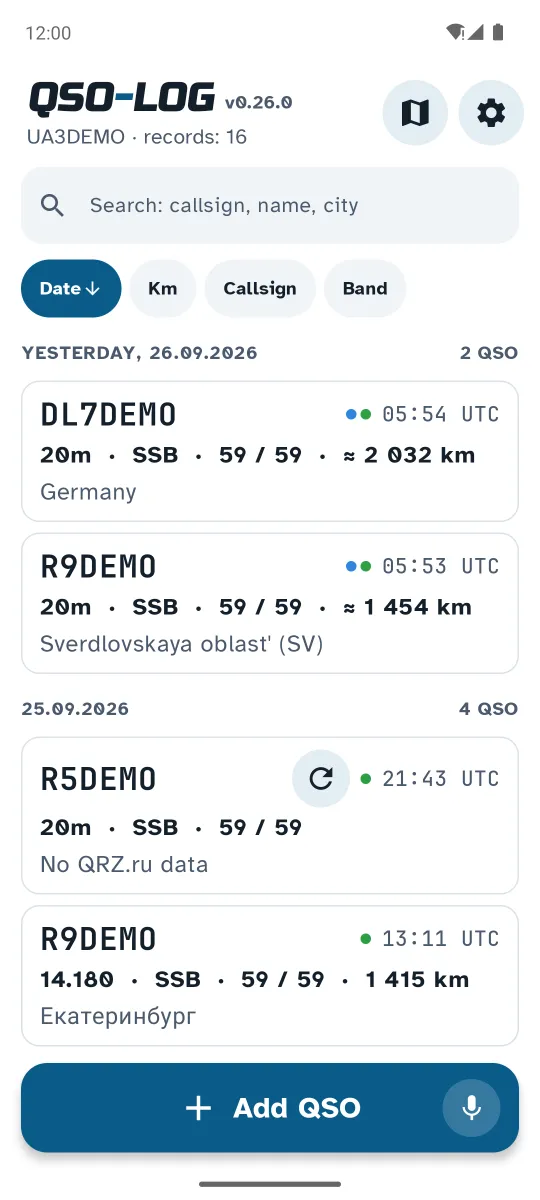
New QSO card with the callsign lookup QSO-LOG log on Android

QRZ.com, QRZ.ru and HamQTH lookup

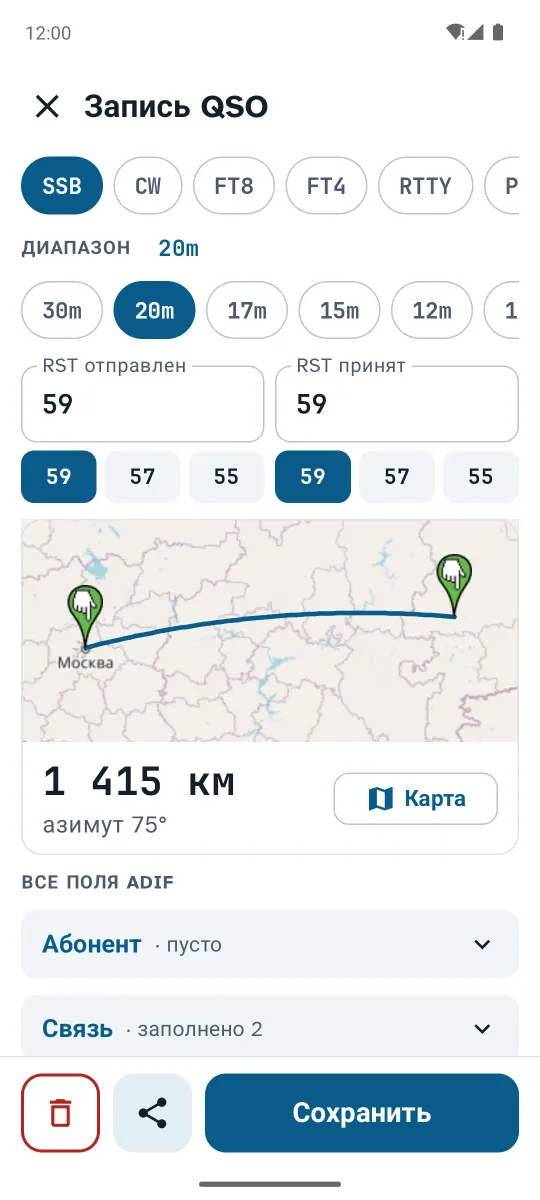
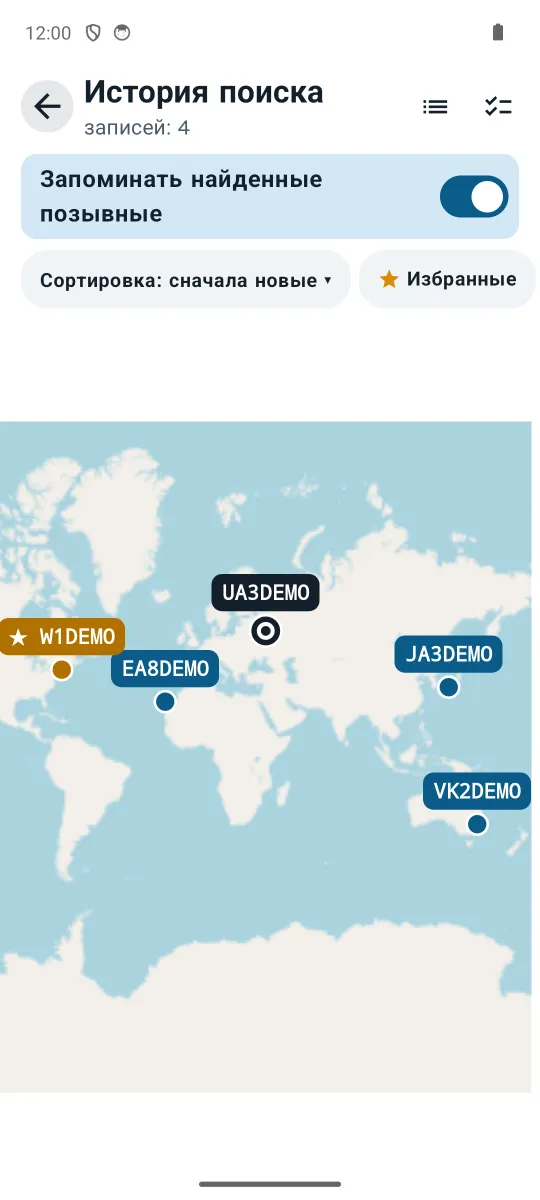
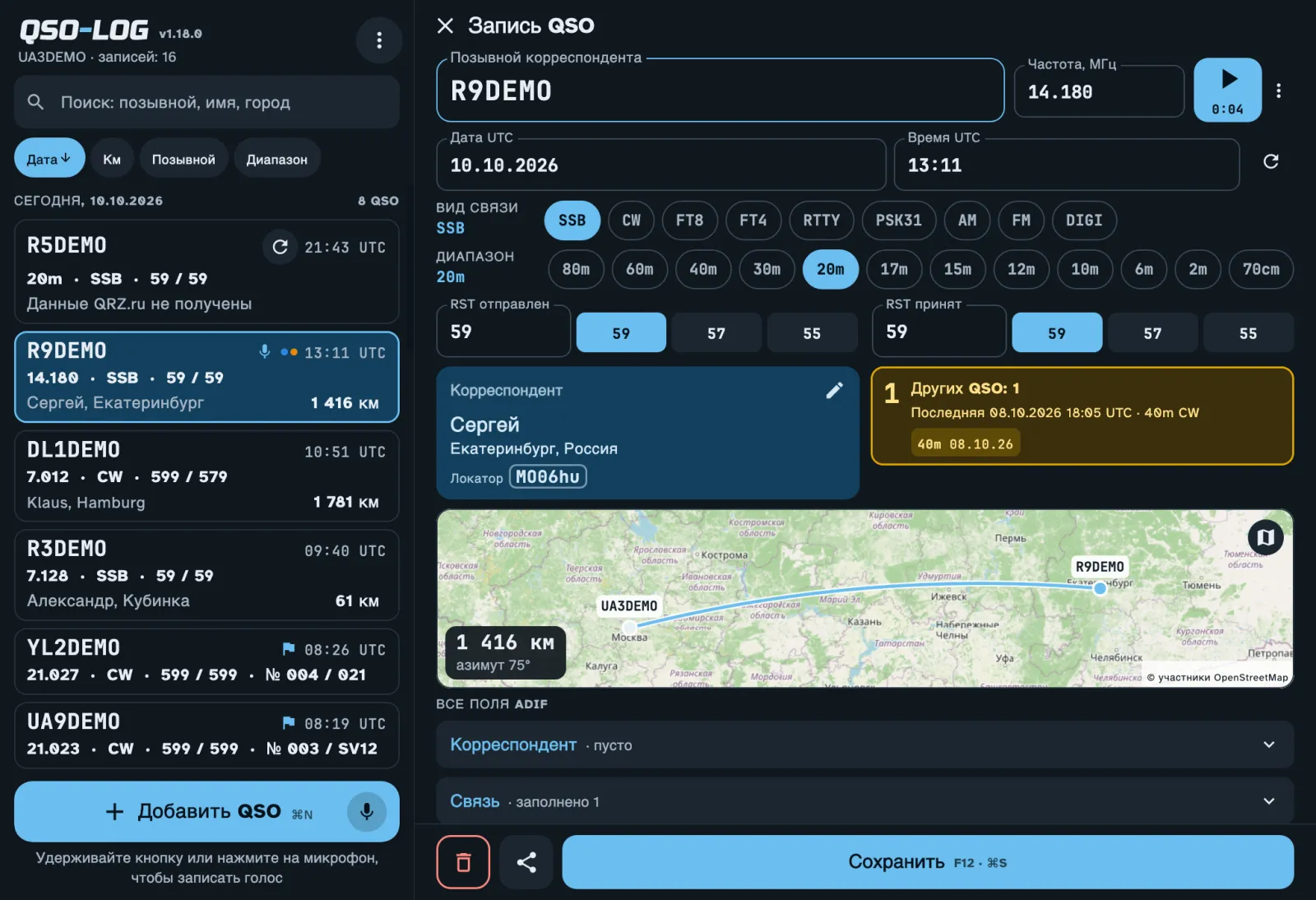
From the fourth letter the app looks the station up and fills in the name, city and grid locator. It calculates bearing and distance and draws the path on a map. Another map shows every station you've worked.

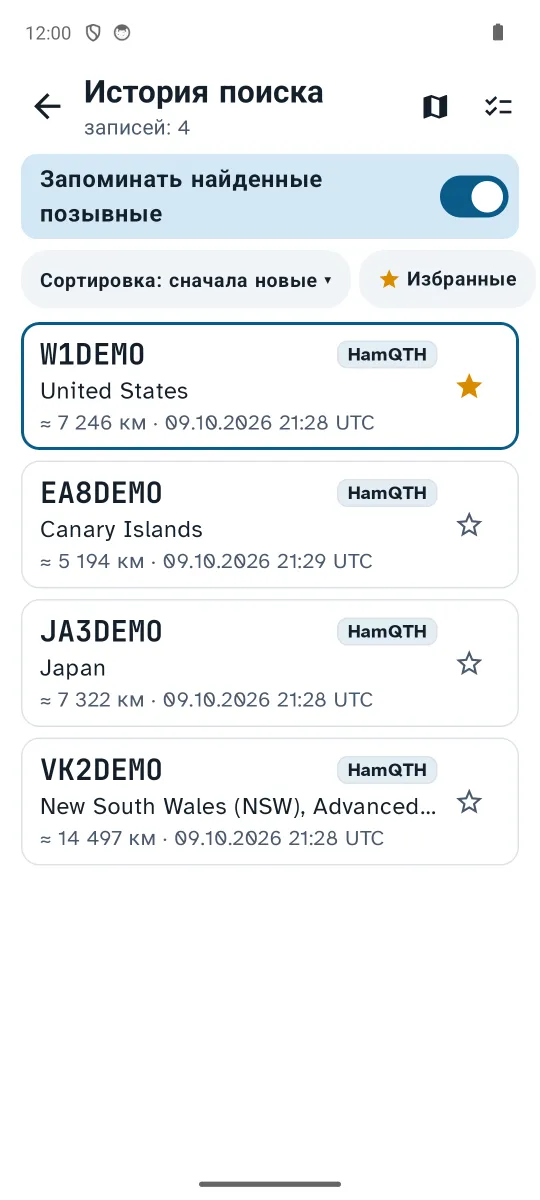
Everything found goes into the search history, so a card can be filled from it offline.

QSO card with the path on a map, bearing and distance Map of every station looked up

Contest mode

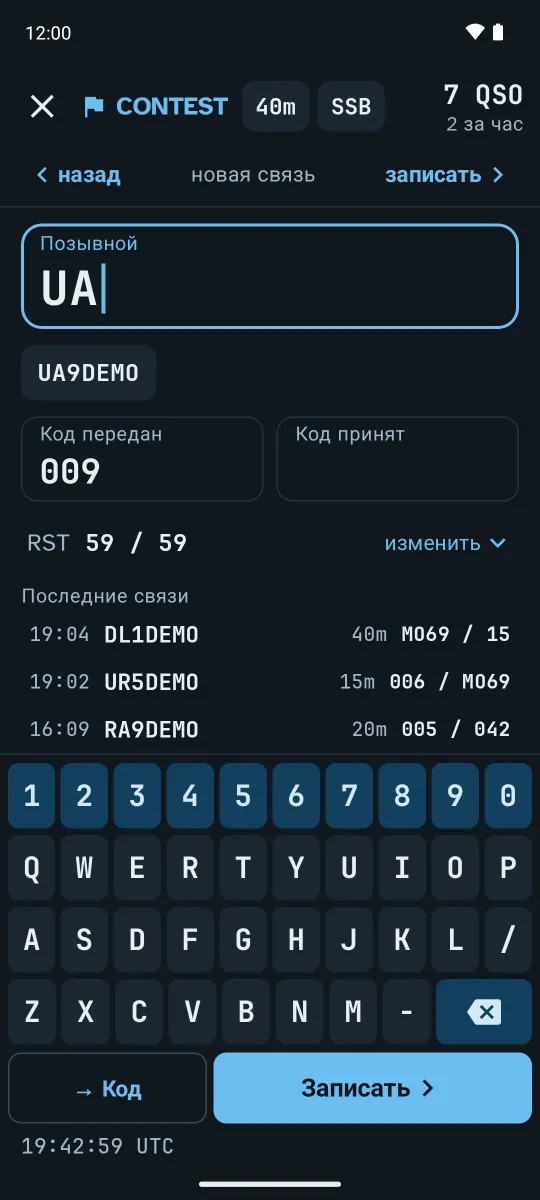
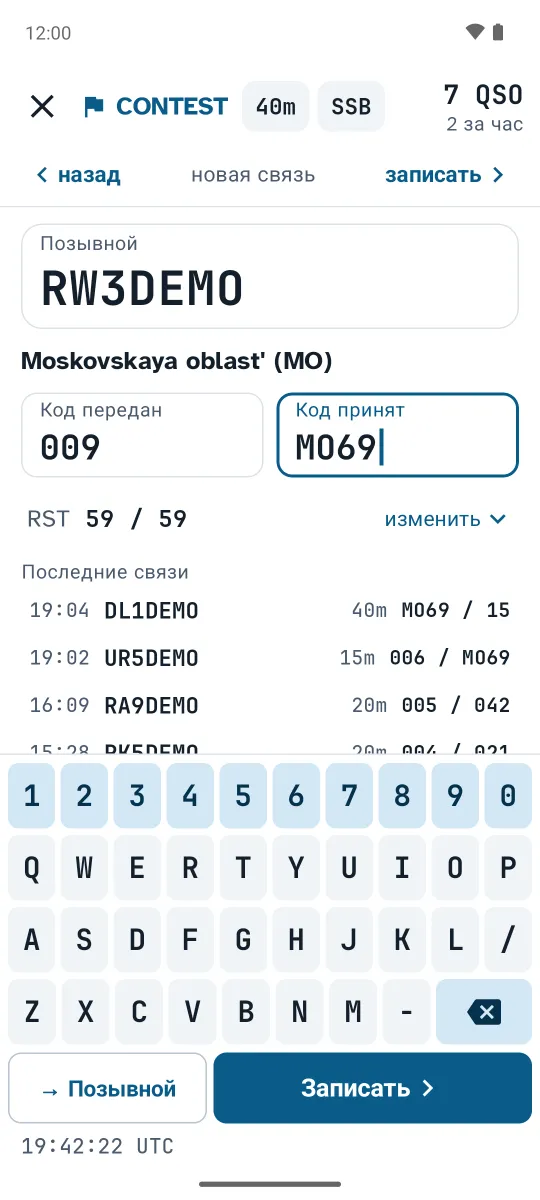
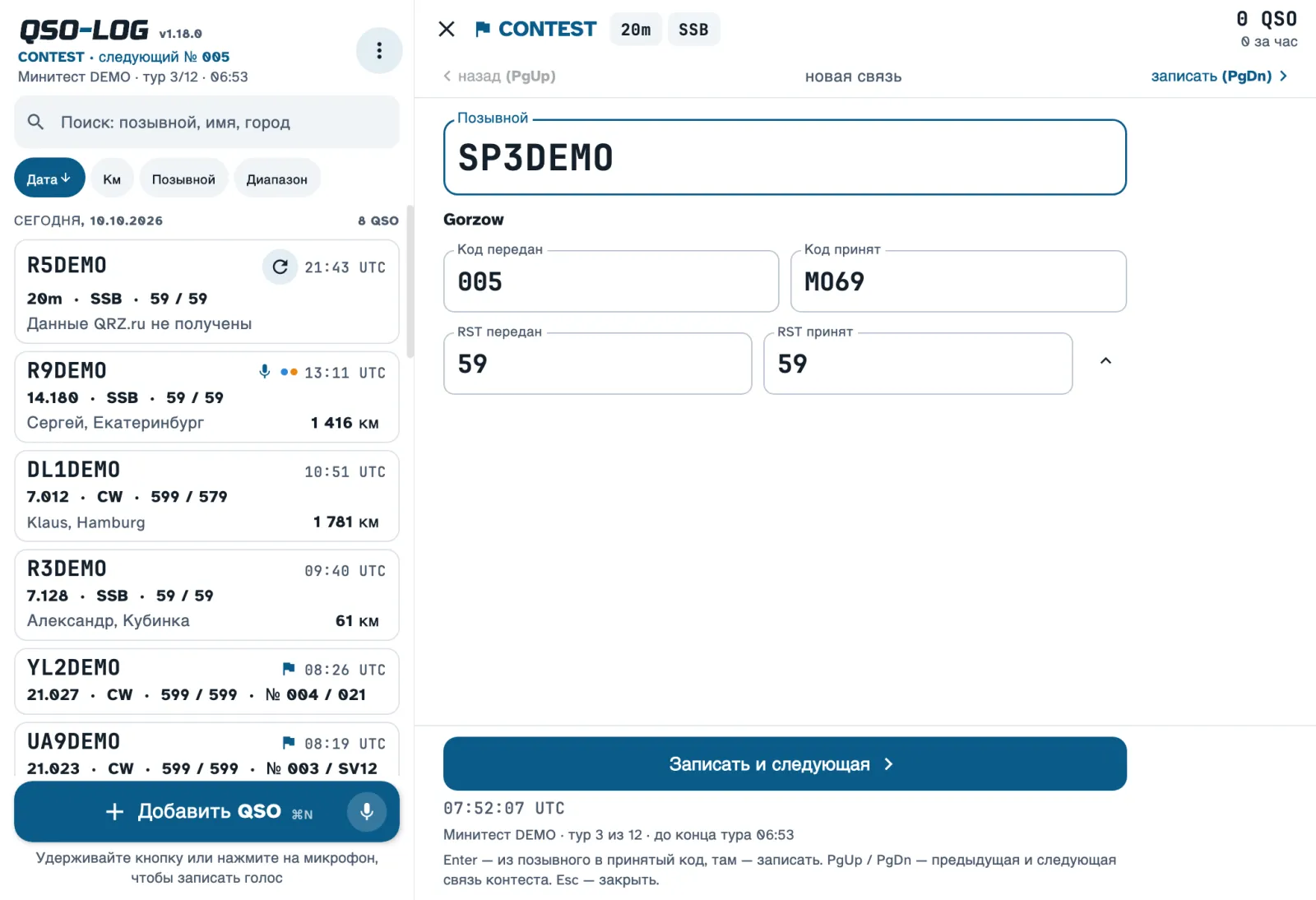
CONTEST MODE: callsign and exchange on a big keypad — and on to the next. Serial numbers count up by themselves or a fixed exchange is sent (MO69, EU); any QSO can be fixed later.

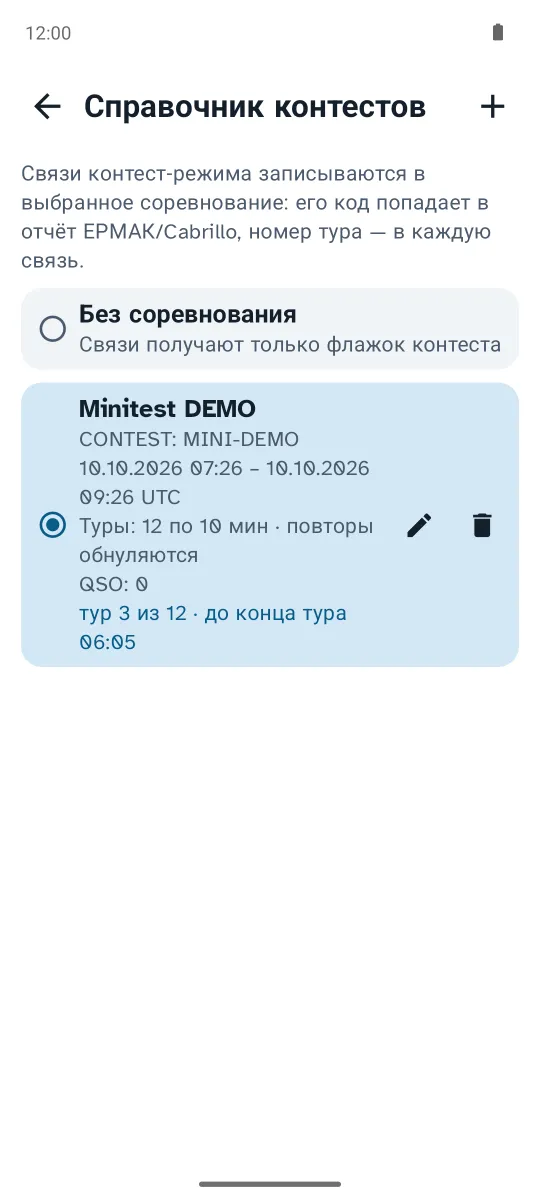
  • a contest book with minitest tours and a timer
  • Cabrillo or ЕРМАК report in two taps
  • keyboard-only work with an external keyboard
Contest mode with the big keypad Contest book: minitest tours and timer

Statistics dashboard

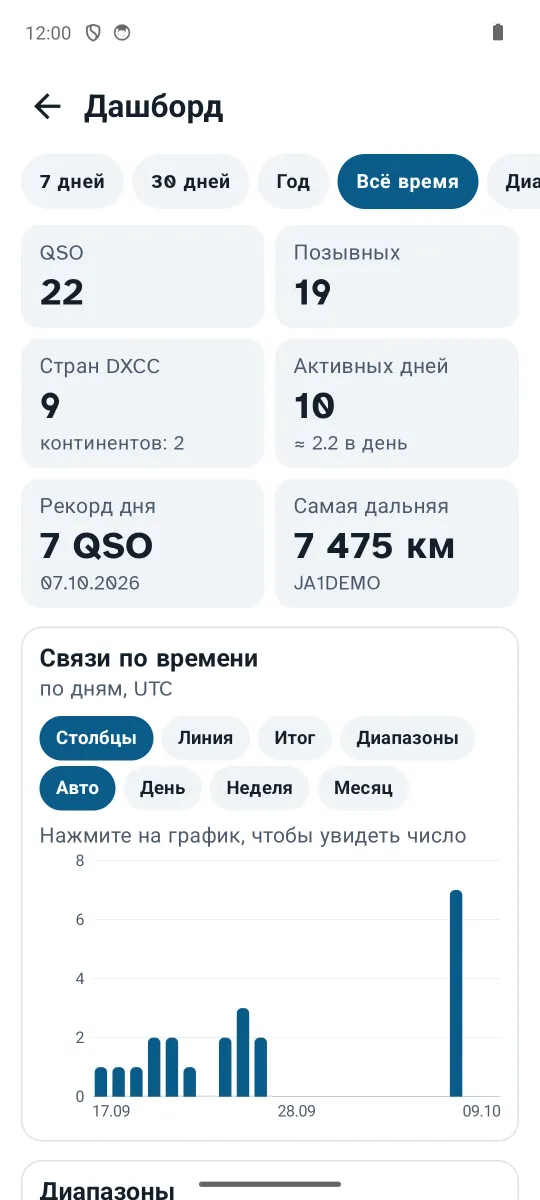
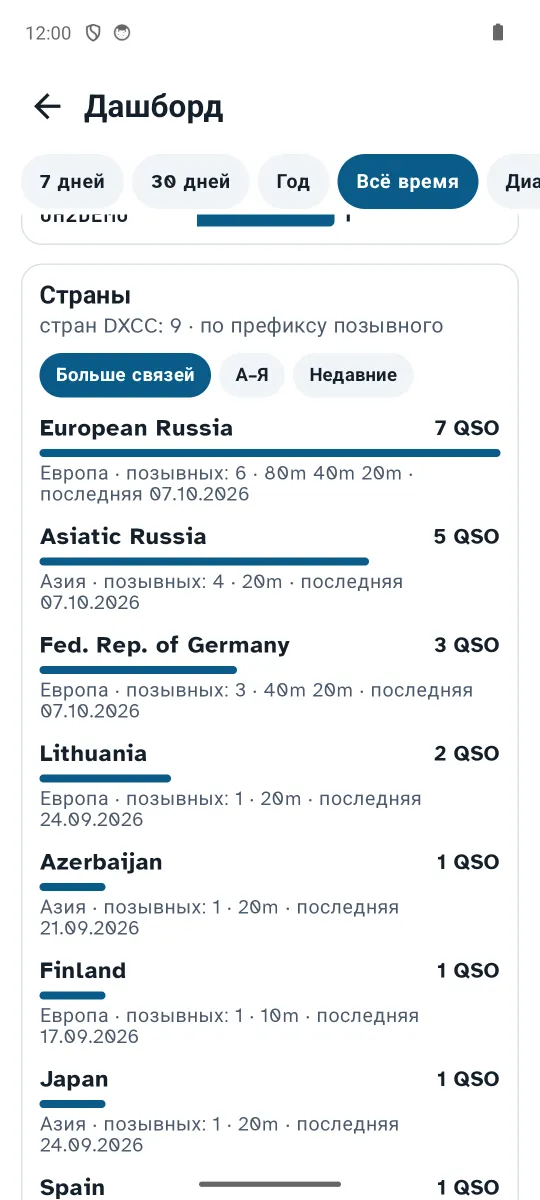
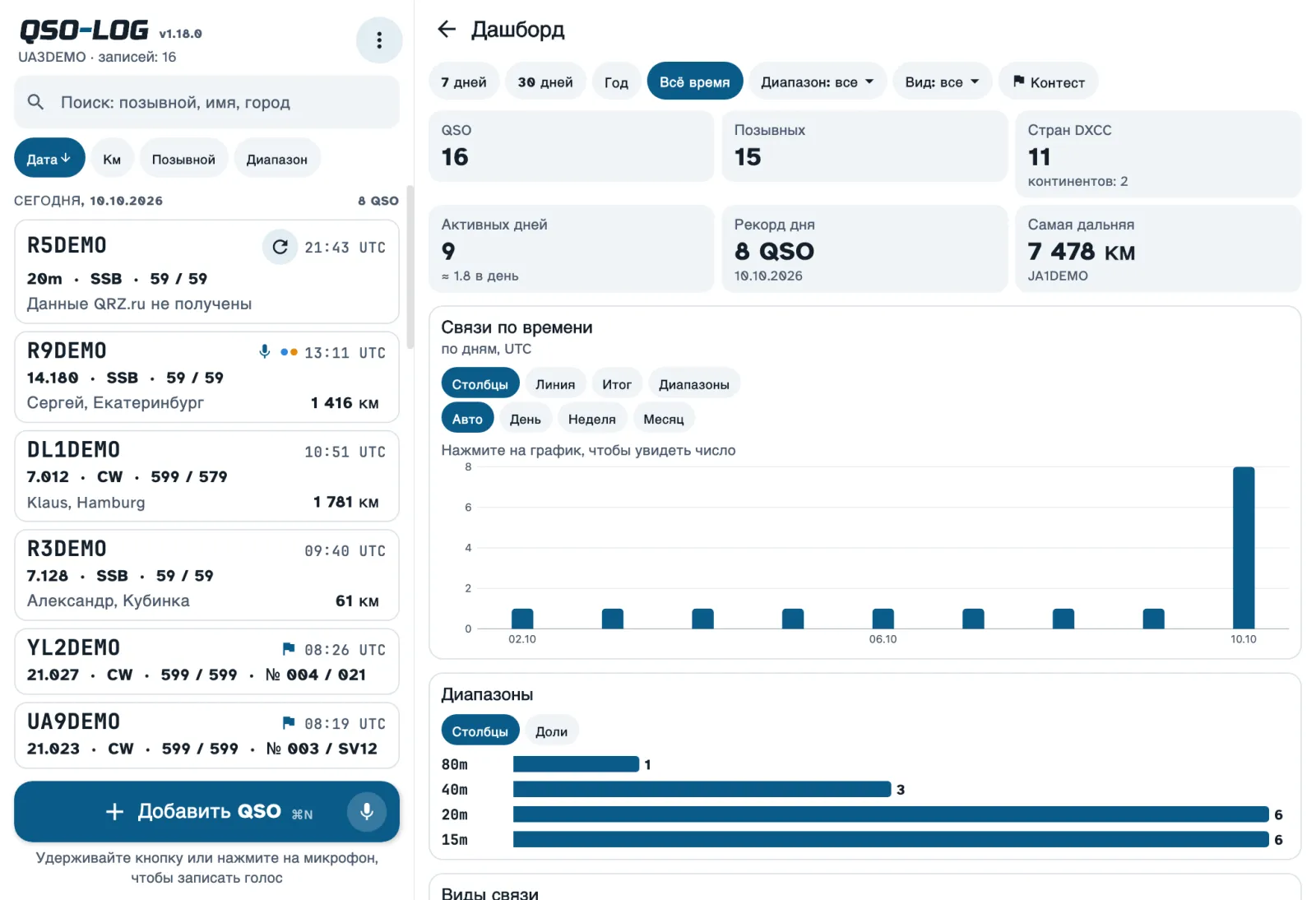
Your log in charts: QSOs per day, bands, modes, countries, hours on the air, distances. Period and filters in one row, and the result can be shared as a picture.

Dashboard: QSOs per day and band Dashboard: countries worked

Voice notes and a Morse trainer

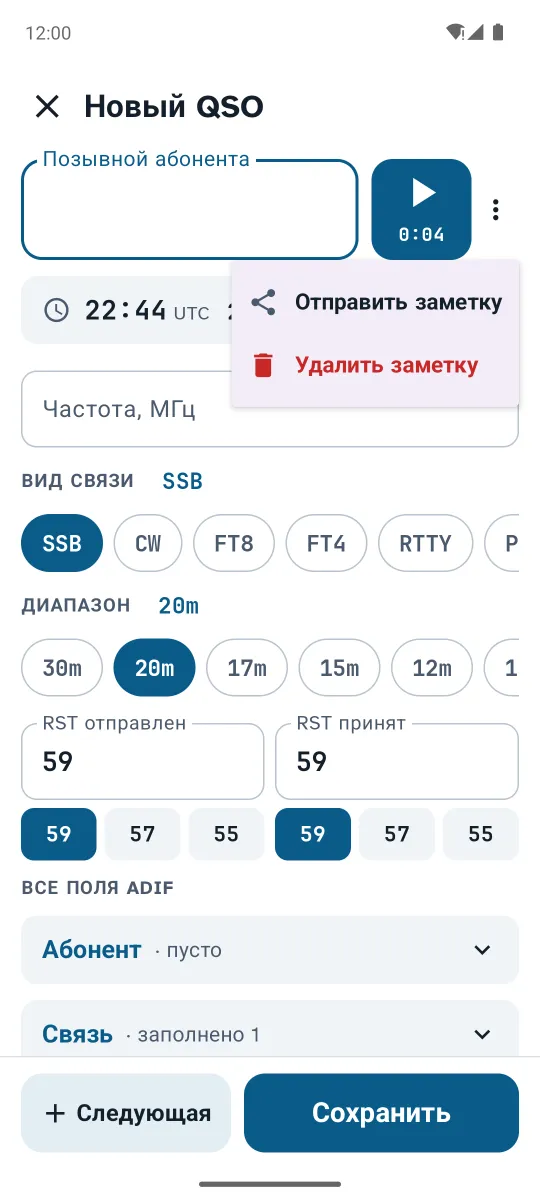
Hold "Add QSO" and speak — the note stays with the QSO and can be shared to a messenger.

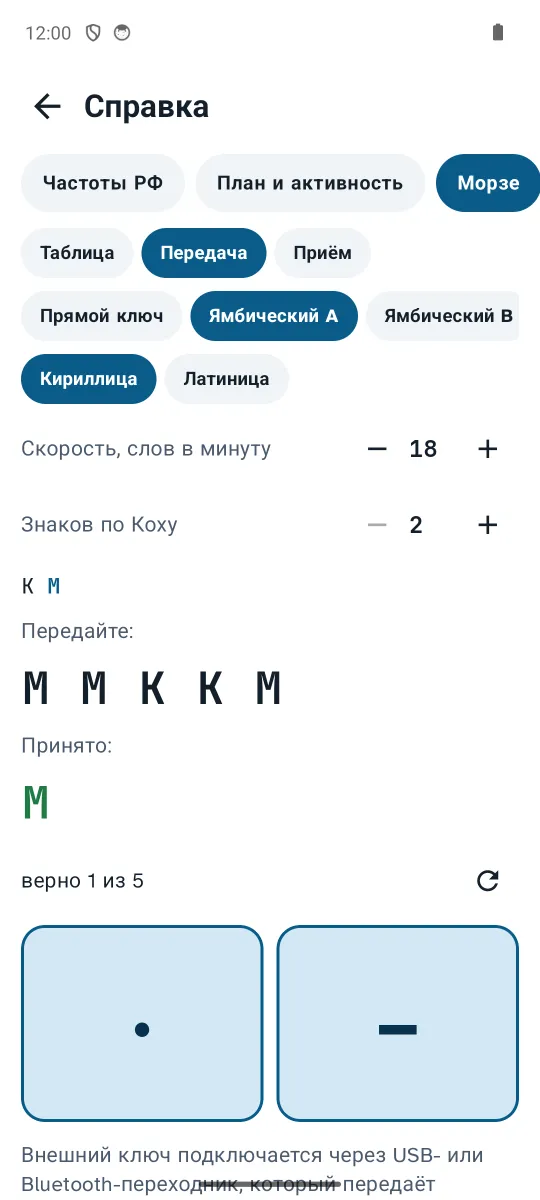
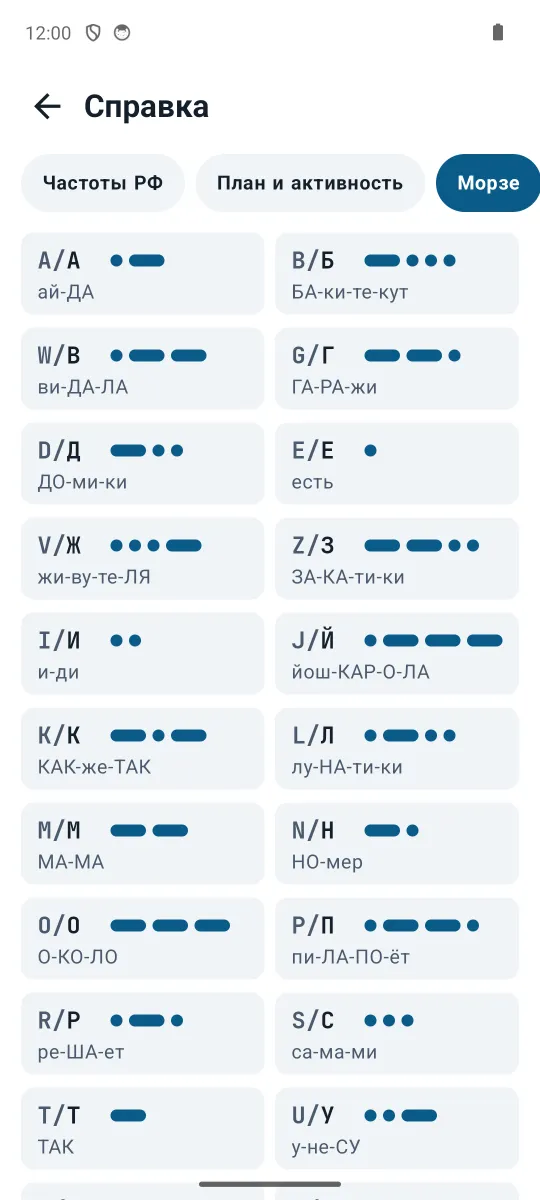
The Morse tab has the code table, plays any text at 5–40 WPM, and trains sending (on-screen or real key, iambic A/B) and receiving.

A voice note for a QSO Morse sending trainer

And more

Keyboard only

Space, Enter, ↑ to fix the last QSO, commands like "20m" or "CW" right in the callsign field.

One log on every device

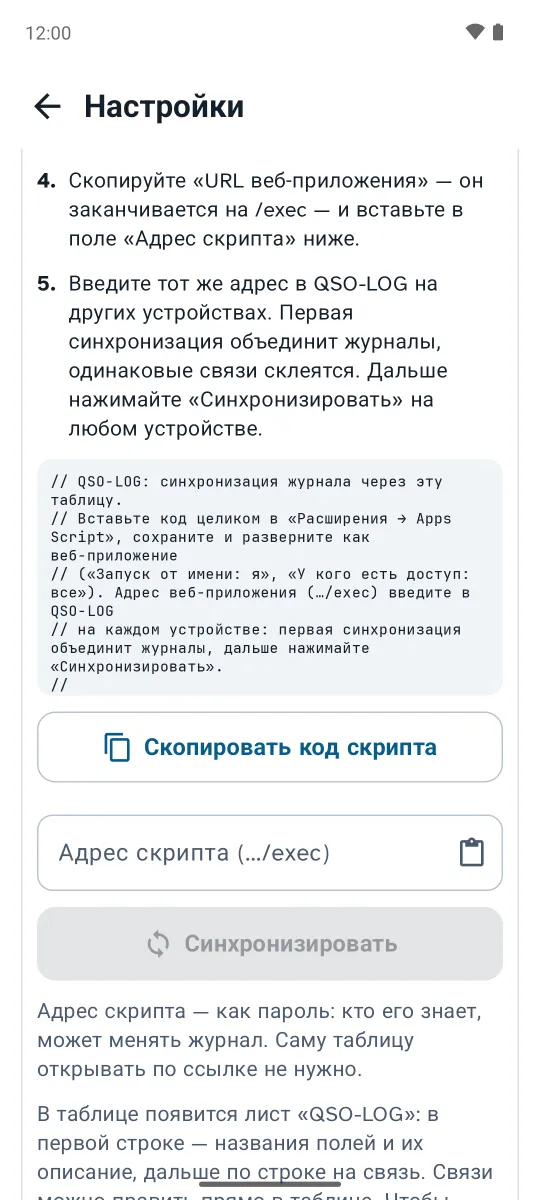
QSOs from phones and the computer meet in your own Google Sheet when you press "Sync".

Export and import

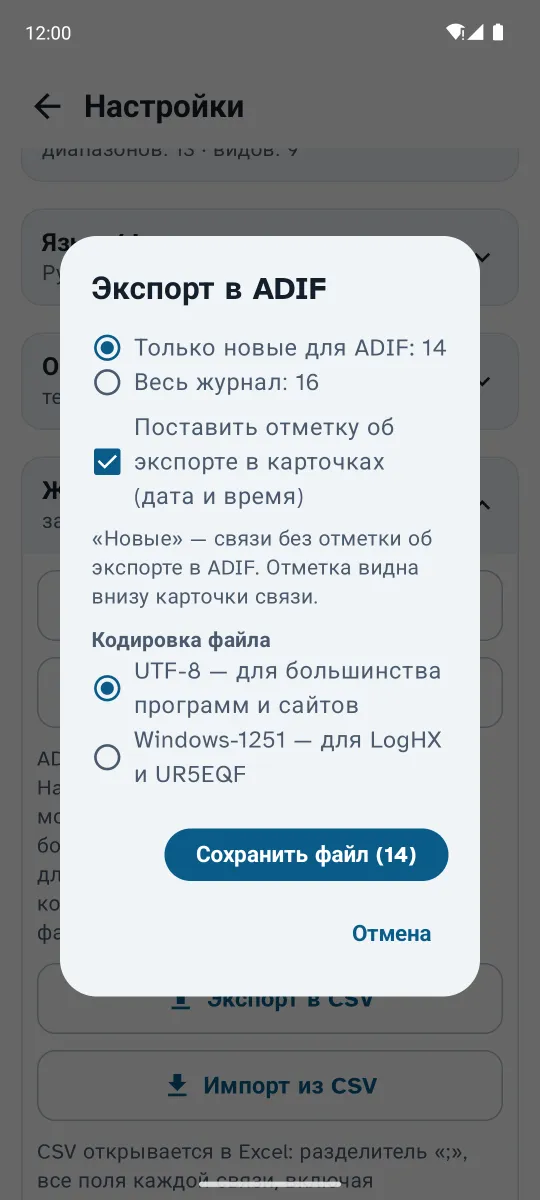
ADIF, CSV, Cabrillo and ЕРМАК. Only new QSOs are exported by default, and each card keeps a dated mark.

Reference and calculators

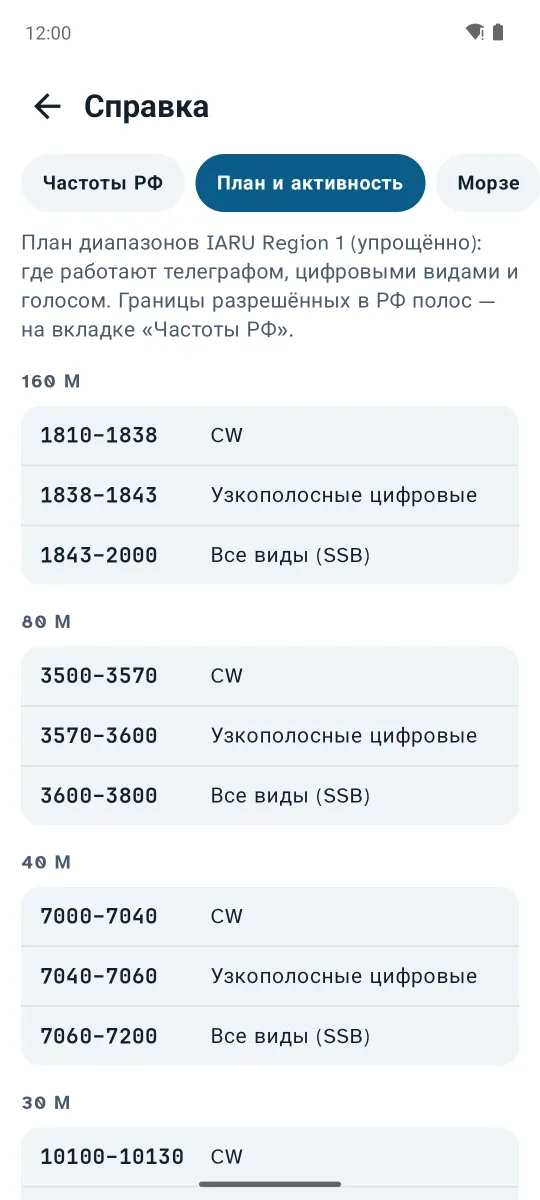
Band plans, Q-codes, phonetics, cables and SWR, antennas, country and region by callsign.

Light and dark theme

A dark theme for night operating, large type and a screen that stays on during a QSO.

Your data stays yours

The log lives on your device, no sign-up and no cloud. The source code is on GitHub.

Screenshots

On the phone — Android 8.0 or newer. Tap a picture to enlarge it.

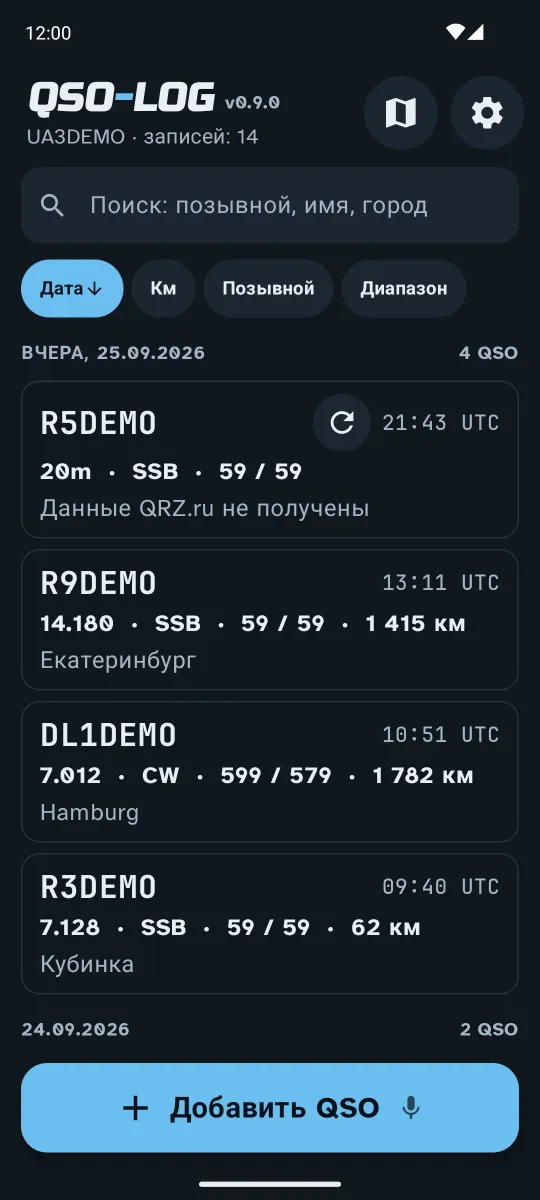
The log — QSO-LOG
The log
New QSO — QSO-LOG
New QSO
Saved QSO — QSO-LOG
Saved QSO
Contest mode — QSO-LOG
Contest mode
Contest book — QSO-LOG
Contest book
Search history — QSO-LOG
Search history
Export — QSO-LOG
Export
Google Sheet sync — QSO-LOG
Google Sheet sync
Morse code — QSO-LOG
Morse code
Band plan — QSO-LOG
Band plan
Dark theme — QSO-LOG
Dark theme
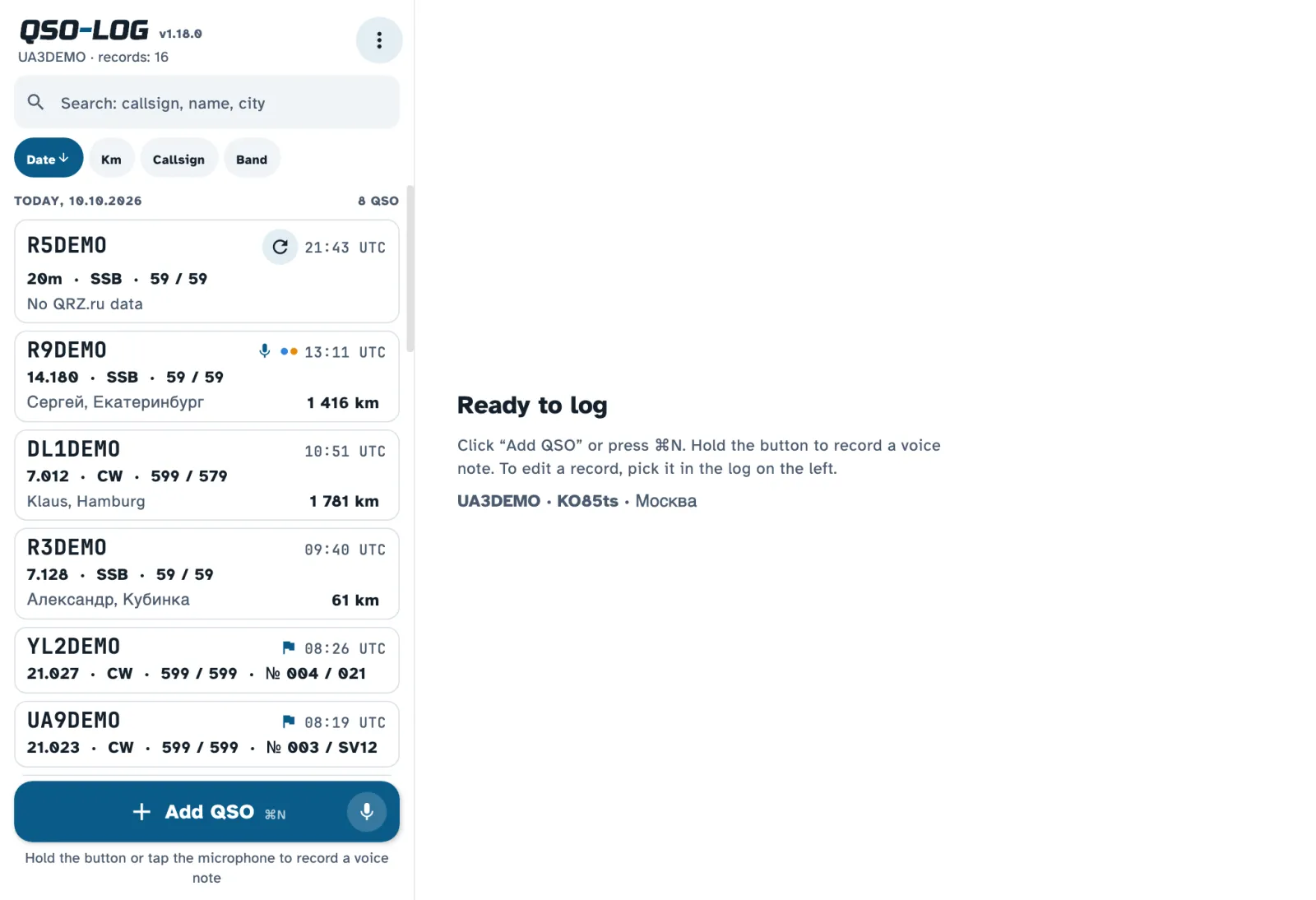
QSO-LOG on a computer: the log and a QSO card
Desktop: the log on the left, the QSO card on the right
Contest mode on the desktop
Dashboard on the desktop
Dashboard
Dark theme on the desktop
Dark theme

Download QSO-LOG

Current versions: Android 0.40.2, desktop 1.18.0. Files are downloaded from GitHub.

Android: open the downloaded APK and allow installs from that source — the app is not on Google Play yet. macOS and Windows: the builds are unsigned, so the system warns on first launch; on a Mac, right-click the app → Open. See the install guide on GitHub; older versions are on the releases page.

Frequently asked questions

Is QSO-LOG free?

Yes. It is free, with no ads or subscriptions, and open source under the MIT license.

Which systems does QSO-LOG run on?

Android 8.0 or newer, Windows 10 and 11, macOS 11 or newer (Apple M and Intel) and Linux (Ubuntu 22.04+, Debian 12, Mint). The phone and computer versions do the same things.

Where does the operator's name and city come from?

QSO-LOG looks the callsign up on QRZ.com and QRZ.ru and fills in the name, city and grid locator. If both are silent, HamQTH gives the country and region. Accounts are added in Settings.

Which export formats are supported?

ADIF and CSV for the log, Cabrillo and ЕРМАК for contest reports. A log can be imported from ADIF too.

Can I keep one log on my phone and computer?

Yes, through your own Google Sheet: QSOs from every device meet there when you press "Sync".

Does it need the internet?

No. The log, reference and calculators work offline. The internet is only needed for QRZ lookups, maps and sync.

Why does Windows or macOS warn me on install?

The desktop builds are not signed with a paid certificate. On a Mac open the app with right-click → Open; on Windows choose More info → Run anyway.